Tell us your sign type, dimensions, quantity, materials, illumination, voltage, mounting method, and delivery country. Our engineering team will review your requirements and prepare a factory quotation with recommended specifications and estimated production lead time.
Before You Leave, Get a Factory Quote
Share your drawings, dimensions, materials, quantities, illumination requirements, and delivery destination. Our signage engineering team will review your project and provide a tailored manufacturing proposal for LED letters, light boxes, pylon signs, gas station signage, or other custom sign systems.
An indoor LED display is engineered for controlled environments, close viewing distances, moderate ambient light, and fine image detail. An outdoor LED display is built for sunlight, rain, dust, temperature changes, higher electrical loads, and longer viewing distances. Choosing correctly means matching the screen specification to the installation site—not simply buying the brightest panel available.
Specs can deceive.
An outdoor cabinet may look stronger on a quotation because it lists higher brightness, a heavier enclosure, and a larger power supply, yet those same features can create excessive heat, unnecessary energy use, poorer close-range image quality, and a much higher installation cost inside a retail lobby.
So why pay for engineering your site does not need?
Here is the hard truth: an outdoor screen installed indoors is usually expensive overkill, while an indoor screen installed outdoors is a failure claim waiting to happen.
Indoor vs Outdoor LED Screen Comparison at a Glance
The best LED screen for indoor or outdoor use depends on ambient light, minimum viewing distance, weather exposure, operating hours, installation access, content type, camera use, local regulations, and the consequences of downtime.
The figures below are common procurement starting points, not universal guarantees. Final specifications should be confirmed in the approved quotation, technical drawing, bill of materials, and test documentation.
Specification
Indoor LED Display
Outdoor LED Display
What the Buyer Should Check
Typical pixel pitch
P1.2–P4
P4–P10 or larger
Minimum viewing distance and required image detail
Typical brightness
Approximately 600–1,500 cd/m²
Approximately 4,500–10,000 cd/m²
Actual sunlight exposure, orientation, and automatic dimming
Weather protection
Usually not designed for direct rain
Weather-sealed modules and cabinets
Separate front and rear IP ratings
Cabinet construction
Slim, lightweight, often die-cast aluminum
Reinforced, sealed aluminum or steel
Corrosion protection, drainage, seals, and structural load
Heat management
Lower output and lower thermal load
Higher output with more heat to remove
Ventilation, fans, air conditioning, and temperature limits
Maintenance access
Front service is common
Front or rear service, depending on structure
Clearance behind the screen and safe technician access
Power demand
Generally lower
Generally higher
Maximum and average W/m², not one vague power number
Viewing conditions
Close-range, controlled lighting
Long-range, changing daylight
Pixel pitch, contrast, brightness, and viewing angle
Content schedule, audience distance, and operating environment
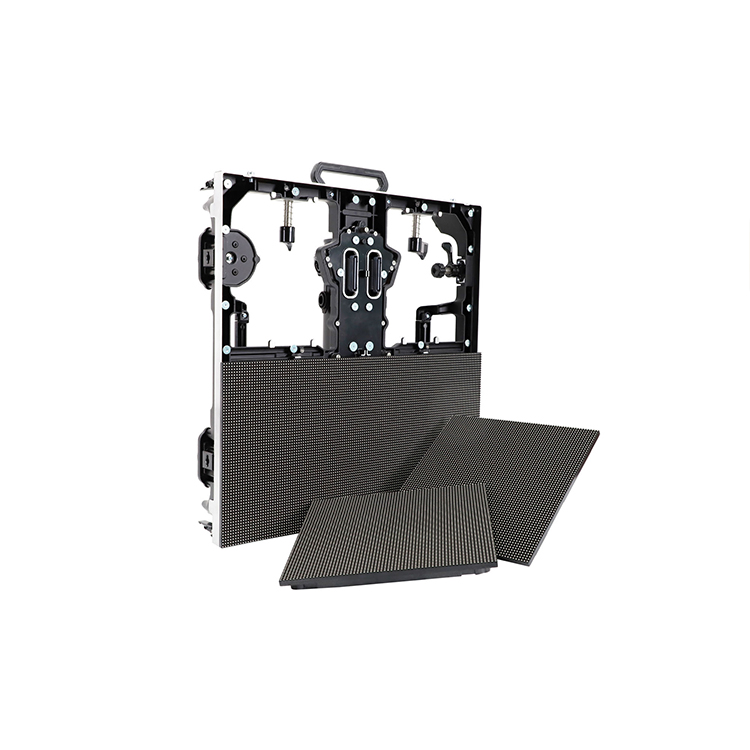
For a broad view of available formats, buyers can first review the factory’s custom LED screen solutions, including fixed, flexible, curved, indoor, outdoor, and modular configurations.
Brightness: More Nits Can Create More Problems
Brightness is measured in candelas per square metre, commonly called nits. Outdoor screens need enough output to compete with direct or reflected sunlight. Indoor screens do not.
A display installed inside a dim conference room at 5,000 cd/m² would be uncomfortable, visually harsh, and wasteful. A 1,000 cd/m² display facing afternoon sunlight through a glass storefront may look washed out even though it is technically indoors.
That distinction matters.
Indoor Does Not Always Mean Low Brightness
A screen mounted deep inside a shopping mall may perform well at 700–1,000 cd/m². A screen positioned directly behind a west-facing window may require substantially more output, optical contrast, and automatic brightness control.
This is why “indoor or outdoor?” is sometimes the wrong first question. The better question is: How much ambient light reaches the LED surface during the brightest operating hour?
Ask the supplier to review:
Screen orientation
Direct sunlight exposure
Glass tint and reflectivity
Installation depth behind the window
Daily operating schedule
Required night-time brightness
Ambient-light sensor location
Automatic dimming range
Outdoor Brightness Is Also a Regulatory Issue
On January 29, 2026, a UK Planning Inspectorate appeal concerning a digital advertising display at 426 Bury Road, Bolton, established conditions of no more than 300 cd/m² during darkness and no more than 5,000 cd/m² in daylight, with brightness controlled according to ambient conditions. The decision also required static content lasting at least 10 seconds and a black-screen mechanism in the event of a malfunction. Read the Planning Inspectorate appeal decision.
That is not a universal global rule. It is something more useful: proof that buyers cannot treat brightness as a factory-only decision.
Planning authorities, landlords, highway agencies, airports, shopping centres, and local councils may restrict brightness, animation, content-change frequency, operating hours, or screen orientation. A supplier can provide a 10,000-nit screen. That does not mean the site will be allowed to operate it at 10,000 nits.
My position is blunt: never approve an outdoor display without an automatic brightness sensor and a documented dimming schedule.
Pixel Pitch: The Expensive Number Buyers Often Misunderstand
Pixel pitch is the centre-to-centre distance between adjacent LED pixels, measured in millimetres. P2 means a 2 mm pitch. P10 means a 10 mm pitch.
Smaller pitch usually delivers finer detail at close range. It also places more LEDs, driver components, and solder points into each square metre. Cost rises quickly.
A Practical Viewing-Distance Rule
A rough procurement rule is:
Pixel pitch in millimetres ≈ minimum comfortable viewing distance in metres.
That means:
P2: approximately 2 metres
P2.5: approximately 2.5 metres
P3: approximately 3 metres
P4: approximately 4 metres
P6: approximately 6 metres
P8: approximately 8 metres
P10: approximately 10 metres
This is not a law of physics. Content resolution, screen size, eyesight, contrast, viewing angle, and audience expectations all affect the result.
But it is a useful filter.
A P2 screen installed 30 metres from the audience may deliver no visible commercial advantage over a P4 or P5 solution. The buyer pays for pixels nobody can resolve. On the other hand, a P10 screen installed three metres from a showroom visitor will display obvious pixel structure and coarse text.
For close-view commercial video walls, the factory’s P2–P4 fine-pitch full-color LED display provides P2, P2.5, P3, and P4 options for retail, exhibition, event, showroom, conference, and advertising applications.
Calculate the Native Resolution Before Ordering
Suppose a screen measures 4,000 mm wide by 2,250 mm high.
With P2.5:
Width: 4,000 ÷ 2.5 = 1,600 pixels
Height: 2,250 ÷ 2.5 = 900 pixels
Native resolution: 1,600 × 900
With P5:
Width: 4,000 ÷ 5 = 800 pixels
Height: 2,250 ÷ 5 = 450 pixels
Native resolution: 800 × 450
The physical dimensions are identical. The content detail is not.
Before approving the purchase order, request the exact screen resolution and compare it with the source content. A content team producing 16:9 video may struggle with a long ribbon display, an irregular pylon screen, or a façade whose final pixel matrix does not match common video formats.
Weatherproofing: An IP Rating Is Not a Complete Answer
The International Electrotechnical Commission developed the ingress protection system used to grade how an enclosure resists solids and liquids. The first digit addresses solid-particle protection; the second addresses water protection. The IEC explanation of IP ratings confirms that IP classifications concern enclosure resistance to dust and liquid intrusion.
But an IP number printed in a brochure is not enough.
Ask these questions:
Is the rating for the complete cabinet or only the LED module?
Is the front IP65 while the rear is only IP54?
Does the rating include connectors, cable entries, fans, doors, and service panels?
Was the assembled product tested, or is the rating inherited from a component supplier?
Does the installation method create unsealed penetrations?
Are drainage channels included?
What happens when humid air enters the cabinet and condenses overnight?
Are the screws, frame, hinges, and structural brackets corrosion-resistant?
Rain is obvious. Condensation is not.
A screen beneath a roof may avoid direct rainfall but still face wind-driven moisture, temperature cycling, humidity, insects, airborne dust, salt exposure, and ultraviolet radiation. Calling that location “semi-outdoor” does not remove the engineering problem.
IP65 Does Not Mean Maintenance-Free
Seals age. Doors are opened. Cable glands loosen. Technicians fail to reinstall gaskets correctly.
For coastal sites, buyers should also specify corrosion-resistant finishes, stainless fasteners where appropriate, conformal coating requirements, drainage design, and an inspection schedule. A weatherproof cabinet can still fail when its power connection, data cable, support frame, or junction box is poorly protected.
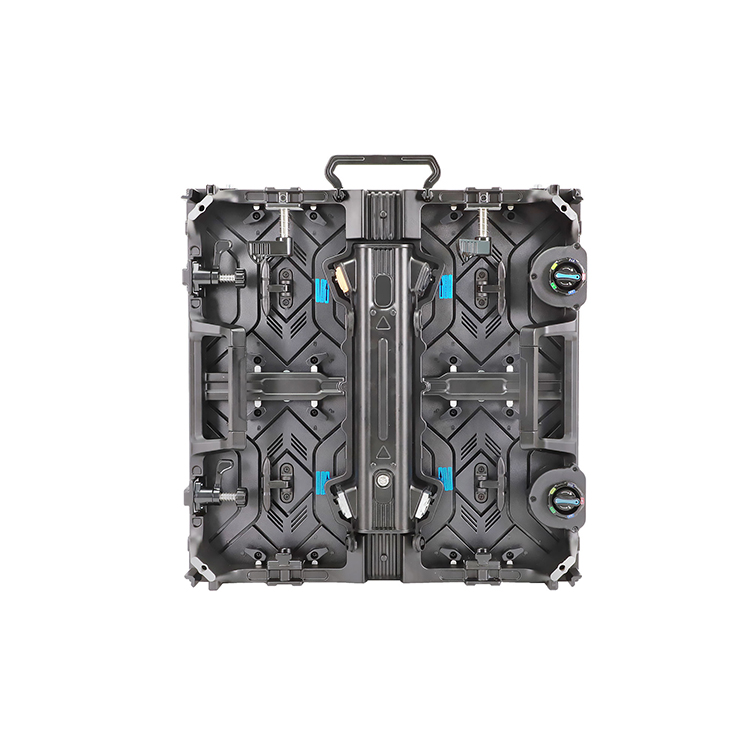
The outdoor configuration listed on the factory’s modular full-color LED video wall uses 960 × 960 mm cabinets, P5–P10 pixel-pitch options, a 1,920–3,840 Hz refresh-rate range, and remote power and device management. These are the types of project-level specifications buyers should demand instead of accepting “outdoor waterproof screen” as a complete description.
Power Consumption: Average and Maximum Are Not Interchangeable
LED technology is efficient compared with many older light sources. The U.S. Department of Energy states that residential LED products can use at least 75% less energy and last up to 25 times longer than incandescent lighting.
Do not misuse that statistic.
An LED video wall is not a replacement light bulb. It contains thousands or millions of red, green, and blue emitters, driver ICs, receiving cards, power supplies, controllers, cooling components, and network equipment. A large, bright outdoor display can still create a serious electrical load.
A Simple Operating-Cost Example
Consider a hypothetical 20 m² display operating 12 hours per day:
Indoor example
Average consumption: 300 W/m²
Total average load: 6 kW
Annual energy: 6 × 12 × 365 = 26,280 kWh
At $0.15/kWh: approximately $3,942 per year
Outdoor example
Average consumption: 600 W/m²
Total average load: 12 kW
Annual energy: 12 × 12 × 365 = 52,560 kWh
At $0.15/kWh: approximately $7,884 per year
These are illustrative calculations, not guaranteed product ratings. Electricity cost, content brightness, dimming schedules, climate, screen efficiency, and operating hours will change the result.
Still, the lesson stands: saving 10% on the purchase price can become irrelevant when the display runs 4,380 hours per year.
Demand both figures:
Maximum power consumption in W/m²
Typical or average power consumption in W/m²
Then ask how the “average” was measured. A black screen, mixed video, white test pattern, and high-brightness advertising loop produce very different loads.
Cooling, Ventilation, and Fire Risk Belong in the RFQ
Outdoor LED displays generate more heat because they normally operate at higher brightness. Sunlight can also heat a dark cabinet before the screen is switched on.
Heat shortens the operating life of power supplies, capacitors, driver ICs, receiving cards, connectors, and LED packages. And heat does not leave a sealed cabinet by goodwill.
The engineering team should review:
Maximum and minimum ambient temperature
Direct solar heating
Passive versus forced-air cooling
Fan quantity and replacement access
Air-conditioning requirements
Filter cleaning intervals
Heat dissipation behind the screen
Cabinet spacing
Fire-retardant materials
Cable sizing and circuit protection
Emergency shutoff
Grounding and surge protection
I would reject any quotation that lists screen power but ignores heat removal. Electricity enters the display, and most of it eventually becomes heat. Where does that heat go?
Refresh Rate, Cameras, and Content Quality
Refresh rate determines how often the displayed image is redrawn. Many commercial screens are offered at 1,920 Hz or 3,840 Hz, while higher camera-sensitive applications may require more demanding configurations.
For ordinary viewing, a lower specification may look acceptable. Under a broadcast camera, smartphone shutter, live-streaming system, or professional photography setup, it may show scan lines, flicker, dark bands, or uneven exposure.
Choose a higher refresh-rate configuration when the display will be used for:
Broadcast studios
Concert stages
Livestreamed conferences
Sports venues
Product launches
Fashion shows
Automotive displays
Social-media filming
Virtual production
Also request the grayscale level, scan method, driver IC model, receiving-card model, and low-brightness image performance. A screen can claim 3,840 Hz and still produce poor shadow detail or colour inconsistency.
The Real Outdoor Case Studies Are Measured in Systems, Not Panels
Reuters reported that the Las Vegas Sphere cost $2.3 billion and stands approximately 366 feet tall and 516 feet wide. Its programmable exterior demonstrates what outdoor LED becomes at architectural scale: content, structure, electrical distribution, cooling, control, maintenance, safety, and media operations functioning as one system. Read the Reuters Sphere report.
Most buyers are not building the Sphere. The lesson still applies.
The display module is only one part of the project.
Reuters also reported that a Times Square billboard used nearly 24 million LED pixels, extended longer than a football field, and rose eight stories. The location saw an estimated 300,000 pedestrians and 115,000 drivers and passengers per day, while a four-week advertising campaign was reported at $2.5 million. Read the Reuters Times Square case.
That project shows why outdoor LED display economics are not based solely on cost per square metre. Audience traffic, content value, operating reliability, visibility, permitting, and downtime risk can matter more than the initial panel price.
Which Screen Fits Each Commercial Application?
Retail Stores and Shopping Centres
Choose indoor fine-pitch LED when customers stand close to the display and content contains product photography, small text, prices, or detailed branding.
Consider higher-brightness indoor or window-facing LED when the display competes with daylight. Do not automatically specify an outdoor cabinet unless the screen is exposed to weather or severe temperature conditions.
Corporate Lobbies and Conference Rooms
Prioritize fine pixel pitch, low fan noise, accurate colour, front maintenance, cabinet flatness, and compatibility with presentation systems.
Extreme brightness adds little value here. Quiet operation and low-brightness grayscale performance matter more.
The cabinet must be designed around the structure, not attached to it as an afterthought.
Stadiums and Sports Facilities
The display may require outdoor protection even when partly sheltered. Audience distance, camera use, scoreboard integration, impact protection, viewing angle, low-latency video, and emergency messaging must be reviewed together.
Gas Stations and Roadside Pylons
Long viewing distance usually supports a larger pixel pitch. Brightness control, static-message restrictions, structural loads, service access, and content legibility at vehicle speed become more important than close-range resolution.
For this application, a P10 digital wayfinding pylon with a 4 × 8 ft LED display illustrates how the screen must be integrated into a larger freestanding sign structure rather than purchased as an isolated electronic component.
Events, Exhibitions, and Rental Installations
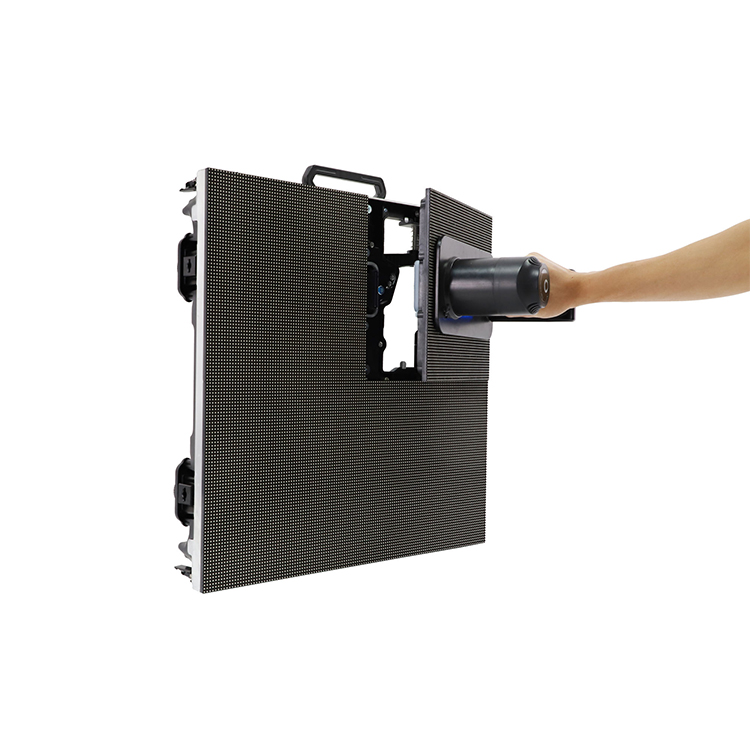
Prioritize lightweight cabinets, fast locks, corner protection, transport cases, repeated assembly tolerance, cable management, camera performance, spare modules, and rapid front or rear servicing.
Rental screens live a harder life than fixed installations. A specification that performs perfectly on a wall may not survive weekly transport, stacking, rigging, and dismantling.
The Procurement Questions That Expose Weak Quotations
A professional LED display quotation should answer the following before a deposit is paid:
What is the exact pixel pitch and native screen resolution?
What are the cabinet and module dimensions?
What LED package, driver IC, receiving card, and power supply are used?
What are the maximum and average power-consumption figures?
What is the calibrated brightness in cd/m²?
Is automatic brightness control included?
What are the separate front and rear IP ratings?
What is the refresh rate, grayscale level, and scan method?
Is maintenance front access, rear access, or both?
What ambient temperature and humidity ranges are permitted?
What spare-module, power-supply, receiving-card, and cable quantities are included?
How will colour and brightness be calibrated across replacement modules?
What control software and sending hardware are included?
Is remote monitoring available?
What happens after a communication, receiving-card, or power failure?
What technical drawings will be supplied before production?
What ageing, waterproofing, brightness, and functional tests will be performed?
Which market-specific approvals or electrical documentation are required?
What structural information must the buyer provide?
What is excluded from the quotation?
Through OEM and ODM signage manufacturing support, buyer drawings, dimensions, materials, voltage, mounting structure, surface finish, lighting, samples, and performance requirements can be reviewed before production. Prototype support and final checks for dimensions, appearance, assembly, illumination, and electrical operation are also described as part of the workflow.
Indoor vs Outdoor LED Display Cost: Compare Total Ownership, Not Panel Price
Outdoor LED screens normally cost more because they require higher-output LEDs, sealed modules, heavier cabinets, thermal management, weather-resistant components, structural engineering, and more complex installation.
But indoor fine-pitch LED can also become expensive. A P1.2 or P1.5 wall may contain far more pixels and components per square metre than a P6 outdoor screen.
This is why cost comparisons must use the complete installed system:
Total cost of ownership = display hardware + control system + structure + installation + electrical work + cooling + shipping + customs + commissioning + maintenance + spare parts + energy + downtime risk
A low panel price can hide:
Expensive proprietary spare parts
Insufficient spare modules
Short component availability
Poor cabinet flatness
Colour inconsistency
Difficult rear access
No remote diagnostics
Undersized power distribution
Unclear warranty exclusions
Weak export packaging
Cheap screens exist. Cheap failures cost more.
FAQs
What is the main difference between indoor and outdoor LED screens?
The main difference is environmental engineering: indoor LED screens prioritize close-range image quality, fine pixel pitch, low-noise operation, and moderate brightness, while outdoor LED screens add sunlight-readable output, sealed cabinets, corrosion resistance, drainage, thermal control, and structural provisions for wind, rain, dust, and temperature swings.
An indoor-versus-outdoor decision should therefore be based on the actual site environment, not the product name alone.
Can an indoor LED display be installed outdoors under a canopy?
An indoor LED display should not be used outdoors merely because a canopy covers it, because wind-driven rain, condensation, ultraviolet exposure, airborne salt or dust, temperature cycling, and higher daytime brightness requirements can still exceed the cabinet, module, connector, and power-supply design limits.
A sheltered location may reduce direct rainfall, but the supplier must still confirm environmental protection, brightness, temperature range, and warranty coverage in writing.
How bright should an indoor or outdoor LED screen be?
An indoor LED screen commonly requires approximately 600–1,500 cd/m², while an outdoor screen may require roughly 4,500–10,000 cd/m² for daylight visibility; however, the correct level depends on screen orientation, direct sunlight, window glass, operating hours, local brightness restrictions, and automatic dimming capability.
The maximum hardware rating is not the same as the approved operating brightness.
How do I choose the correct LED screen pixel pitch?
Choose pixel pitch by matching the nearest audience distance, required text size, content detail, screen dimensions, and budget; as a quick screening rule, a P2 display suits viewing from roughly two metres, while P4, P6, and P10 correspond approximately to four, six, and ten metres.
Always calculate the final native resolution before approving the order.
Which costs more: an indoor or outdoor LED display?
An outdoor LED display usually costs more per square metre because it requires higher brightness, weather sealing, reinforced cabinets, corrosion control, thermal management, and stronger installation structures, although very fine-pitch indoor products such as P1.2 or P1.5 can exceed the price of larger-pitch outdoor screens.
Compare complete installed cost and long-term operating expense rather than panel price alone.
What is the best LED screen for a window-facing retail display?
A window-facing retail display is usually a high-brightness indoor LED screen designed to overcome daylight while retaining a slimmer, lighter cabinet than a fully weatherproof outdoor system; the correct choice depends on glass transmission, screen orientation, installation depth, direct sun exposure, cooling, viewing distance, and permitted night-time brightness.
Measure the light conditions at the installation point before selecting the brightness specification.
Request a Screen Specification Built Around Your Site
Do not send suppliers a request that says only, “Please quote a 20-square-metre LED screen.”
Then require a quotation that identifies the cabinet, module, resolution, brightness, refresh rate, IP rating, power load, controller, spare parts, service method, testing plan, packaging, lead time, and exclusions.
To obtain a project-specific recommendation, send your LED screen requirements to the factory. Include your dimensions, quantity, artwork or content format, installation details, voltage, mounting method, delivery destination, and target schedule so the engineering team can review production feasibility before preparing the quotation.
Custom Signage Factory manufactures commercial signs for sign companies, contractors, distributors, and multi-site brands. With a 20,000 m² workshop, 80+ production workers, 50+ machines, and an annual capacity of 100,000 pieces, we produce LED letters, light boxes, pylon signs, gas station signage, neon signs, and custom OEM sign systems.